
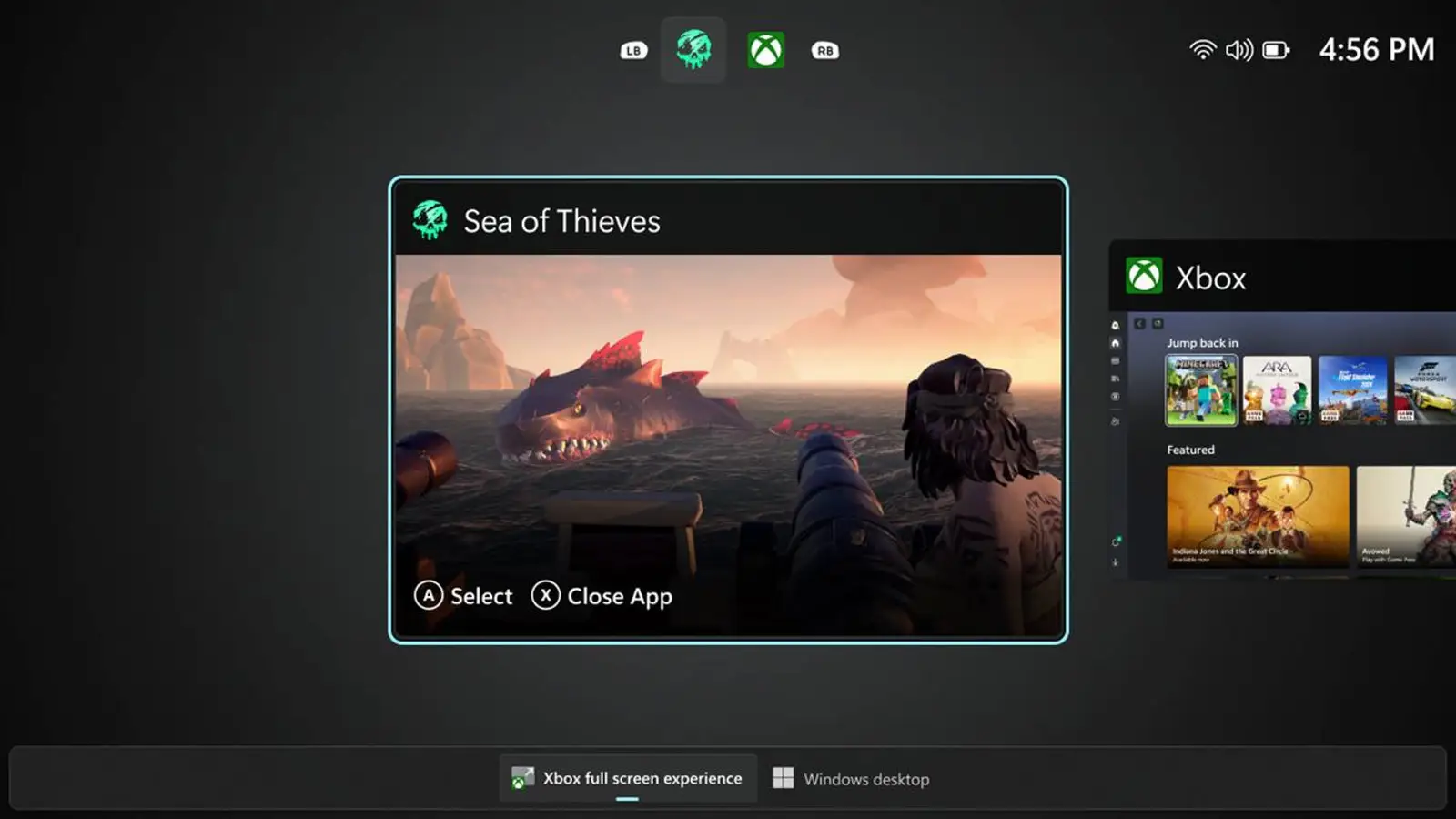
Xbox Full Screen Experience is officially coming to regular Windows 11 gaming PCs—just a few days after Valve’s Steam Machine announcement. Microsoft has begun testing the new full-screen Xbox shell in the latest Windows 11 Insider build 26220.7271, available on the Dev and Beta channels. Access to the mode also requires joining the Xbox Insider PC Gaming Preview.
Until now, the Xbox full-screen mode lived only on handhelds like the Lenovo Legion Go, as well as the Xbox Ally X and MSI Claw. It is now appearing on regular PCs, effectively turning a computer into a console-style setup where most desktop elements are hidden. You can switch into the mode via Task View, the Game Bar settings, or the Win+F11 shortcut—though the feature is rolling out gradually, so it may not show up for everyone right away.
On paper, this is the piece Windows as a gaming platform has long lacked. For years the system has tried to be a desktop, a creator’s studio, and a gaming OS at the same time, yet the console’s effortless simplicity has remained elusive. Valve chose a clearer path, building the Steam Deck and the new Steam Machine around games, while Windows still straddles its multi-purpose legacy and the goal of being convenient for everyone.
Even with FSE, Microsoft has work to do. Setting up Windows still involves drivers, Microsoft Store updates, Xbox App updates, and vendor utilities. In SteamOS, the flow is simpler: power on—update—play. FSE merely layers the Xbox interface on top of Windows, which keeps behaving like a regular operating system.
For now, FSE remains in testing. The shell lacks an on-screen keyboard for gamepad users on systems without touch input, and some apps misbehave. Microsoft officially acknowledges these issues in the current Insider version.
Even so, changes like this can push Windows closer to becoming a genuinely comfortable gaming platform. If the new features improve the player experience, Microsoft will need feedback to see what still needs fixing and where to move next.